.svg)
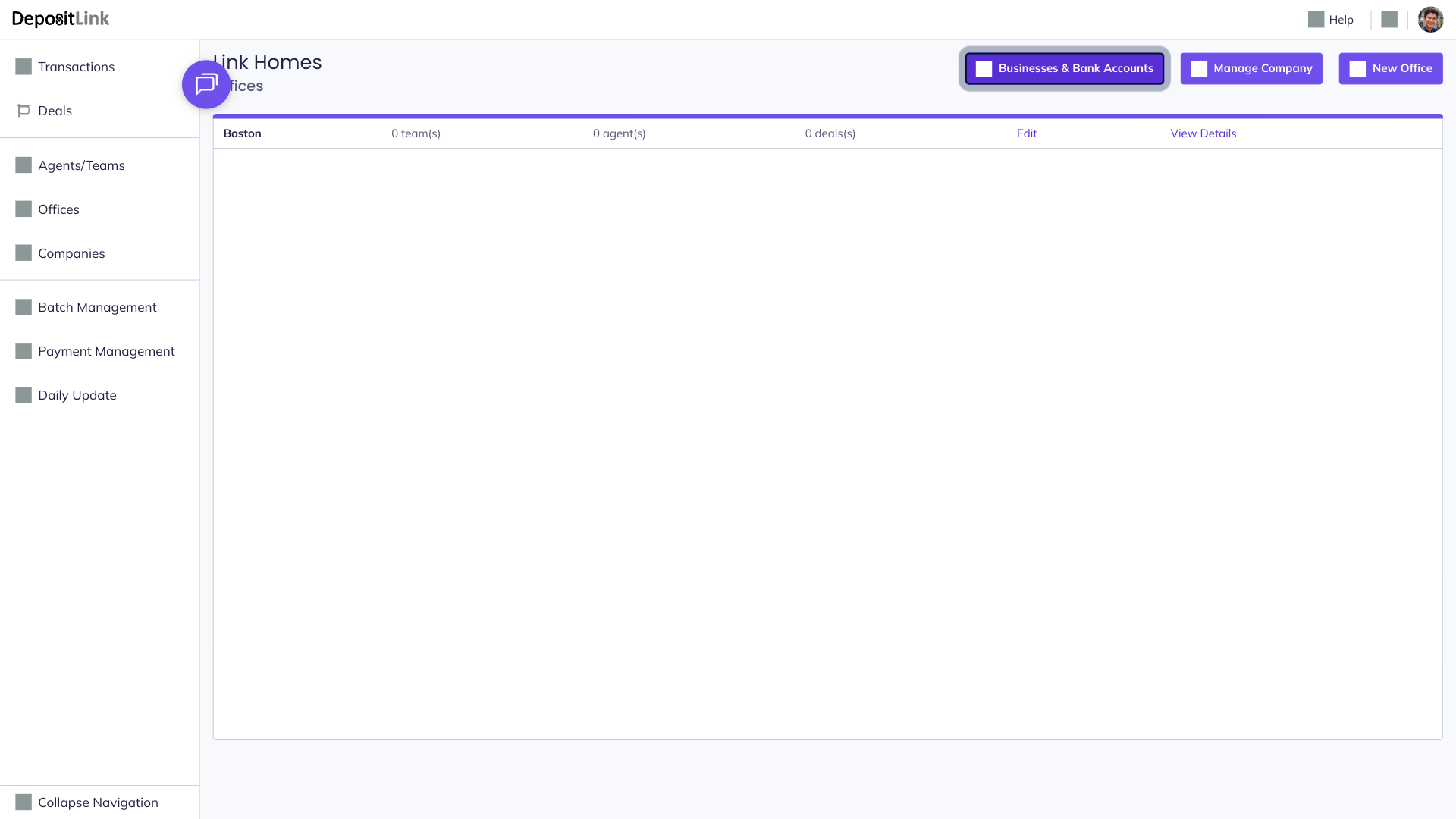
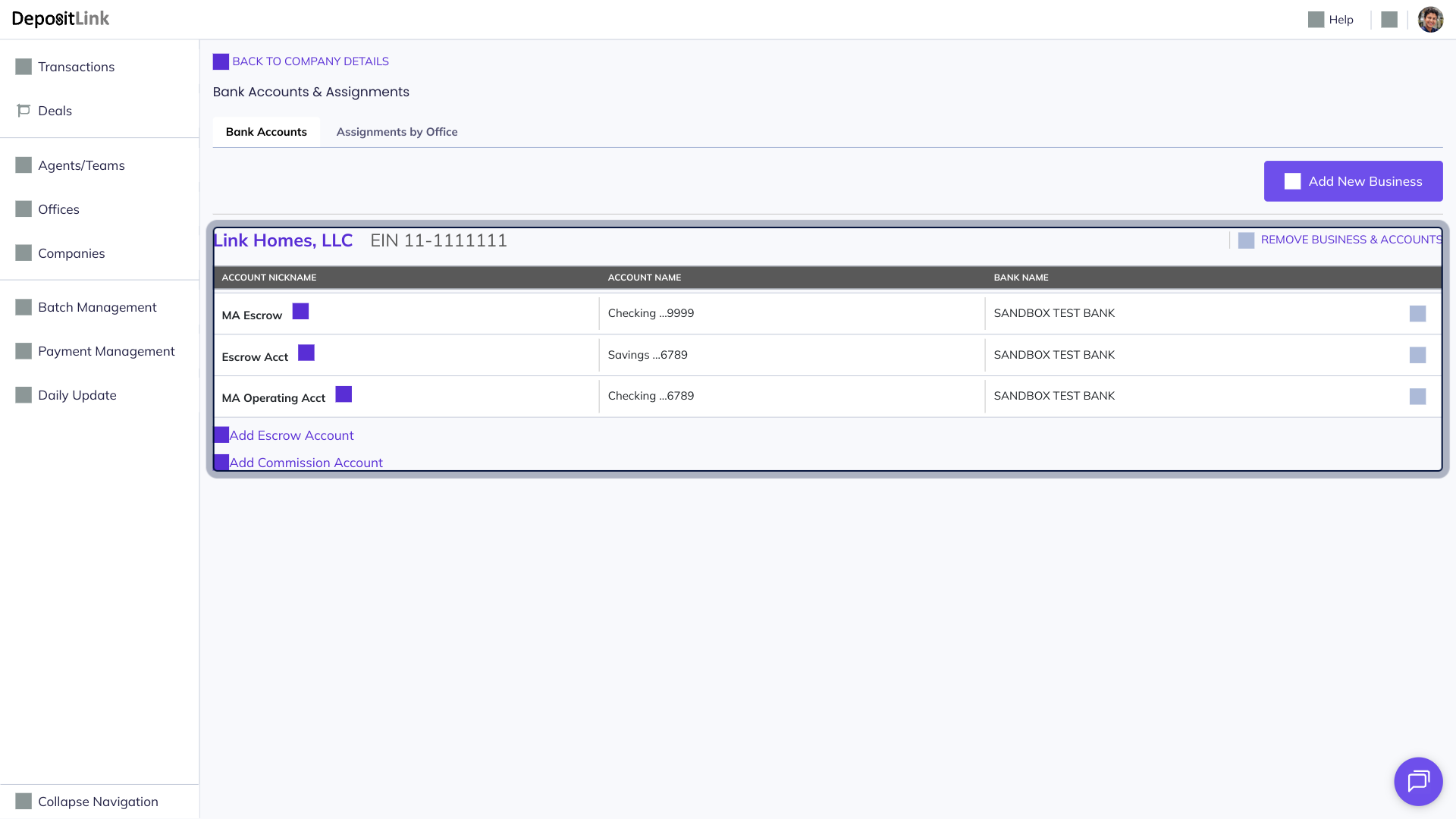
- Step 1: Click Businesses & Bank Accounts.
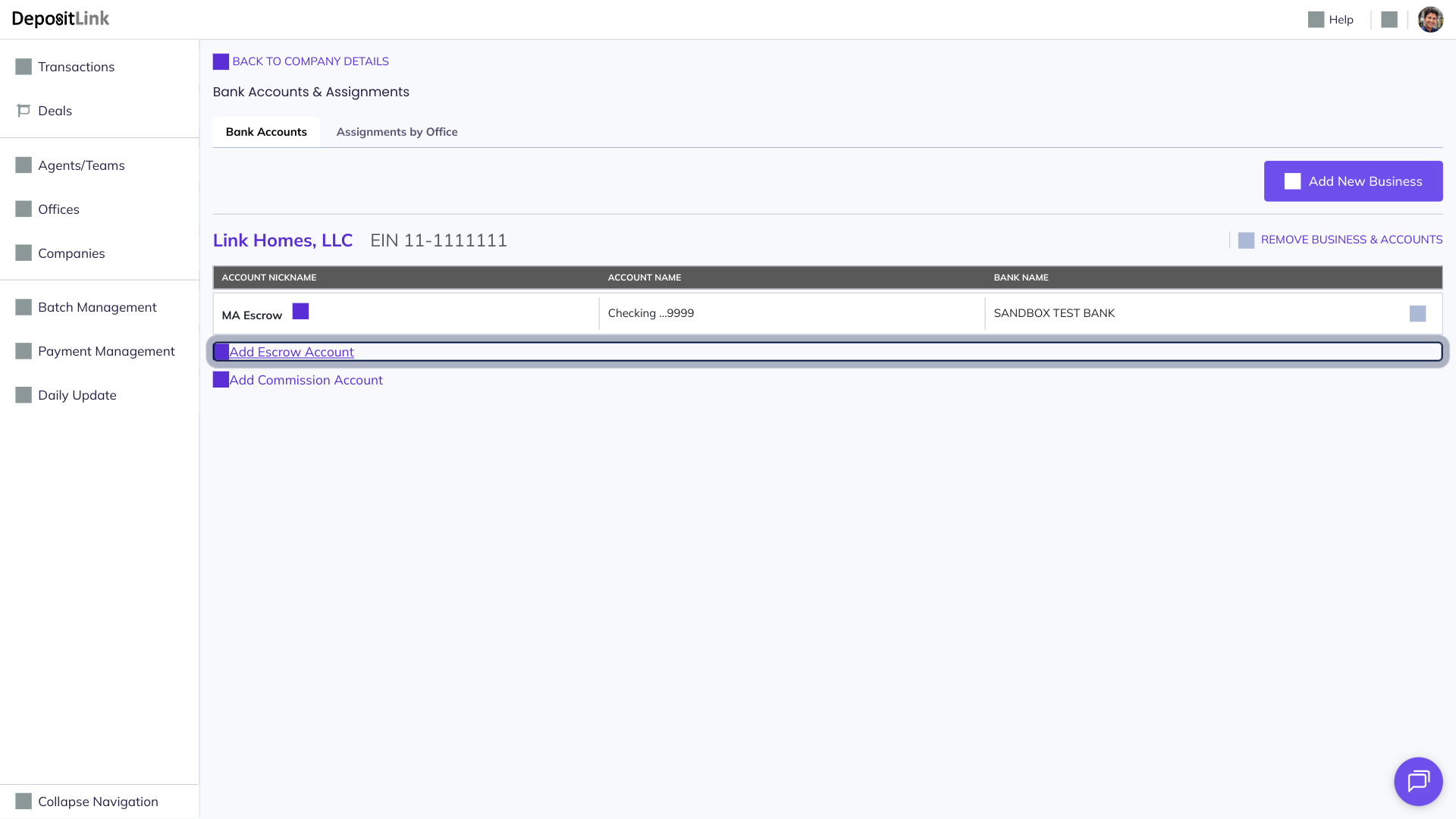
- Step 2: Click Add Escrow Account.
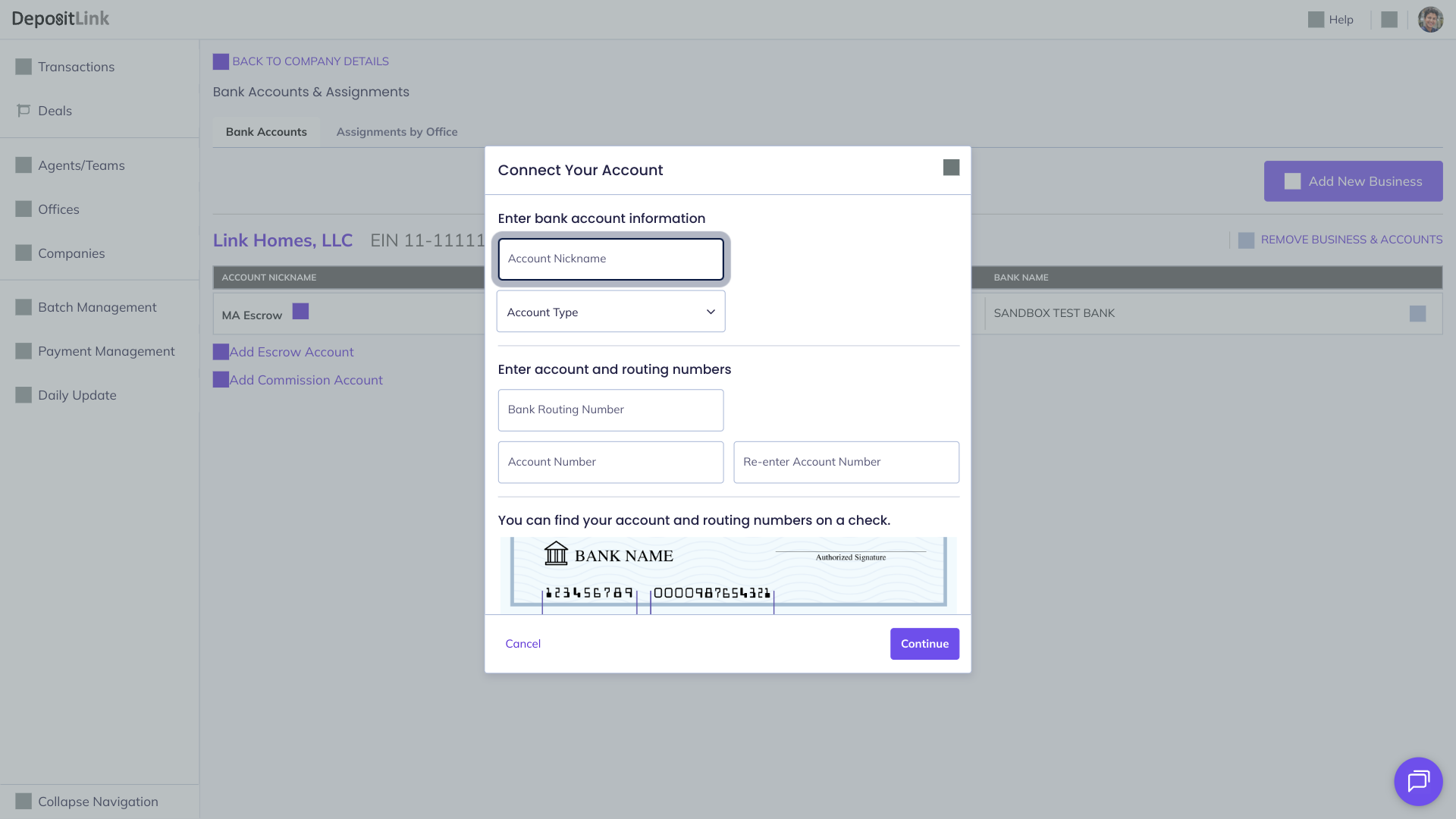
- Step 3: Enter a nickname for the bank account.
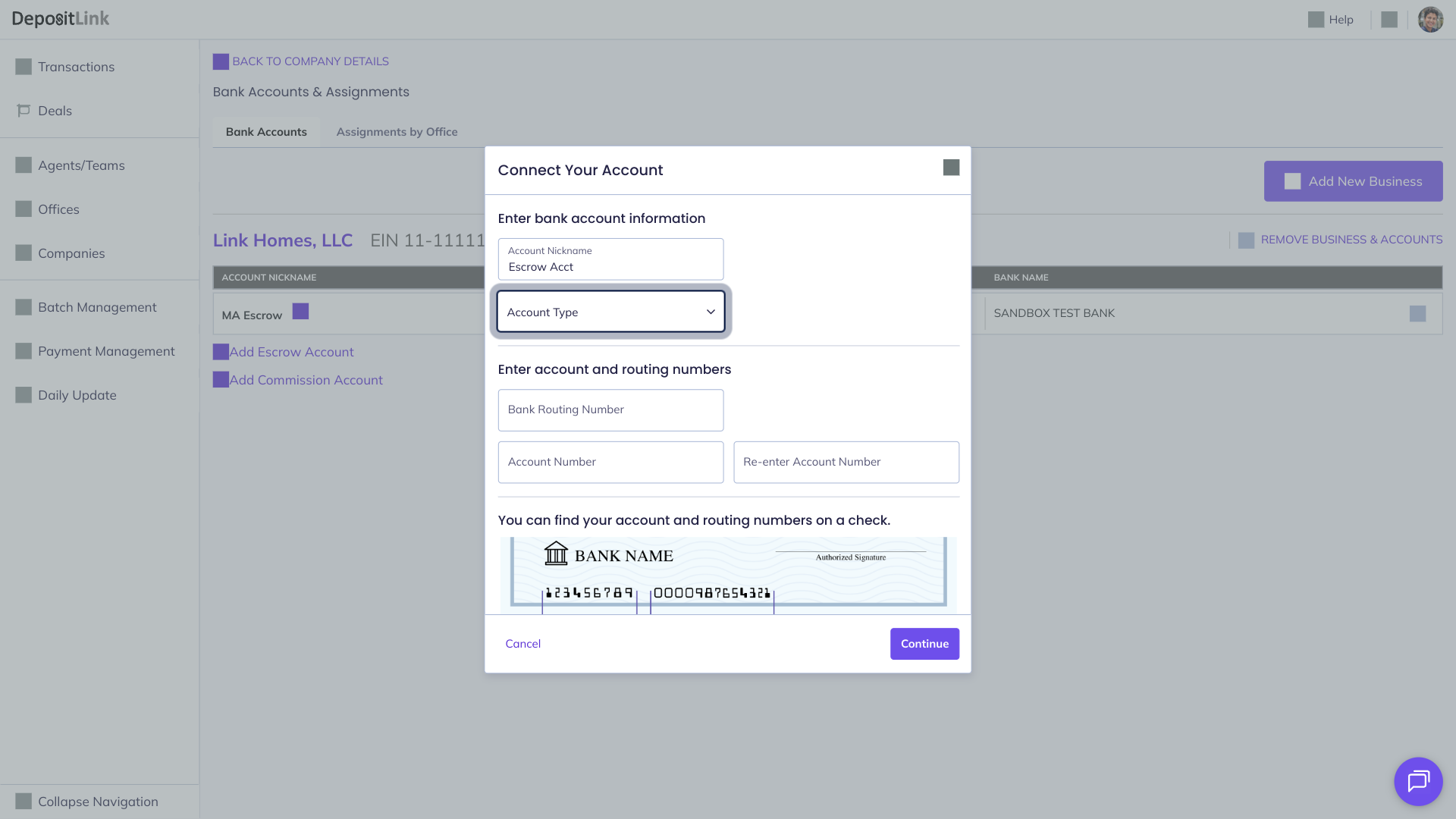
- Step 4: Select the Account Type.
- Step 5: Enter your bank routing number.
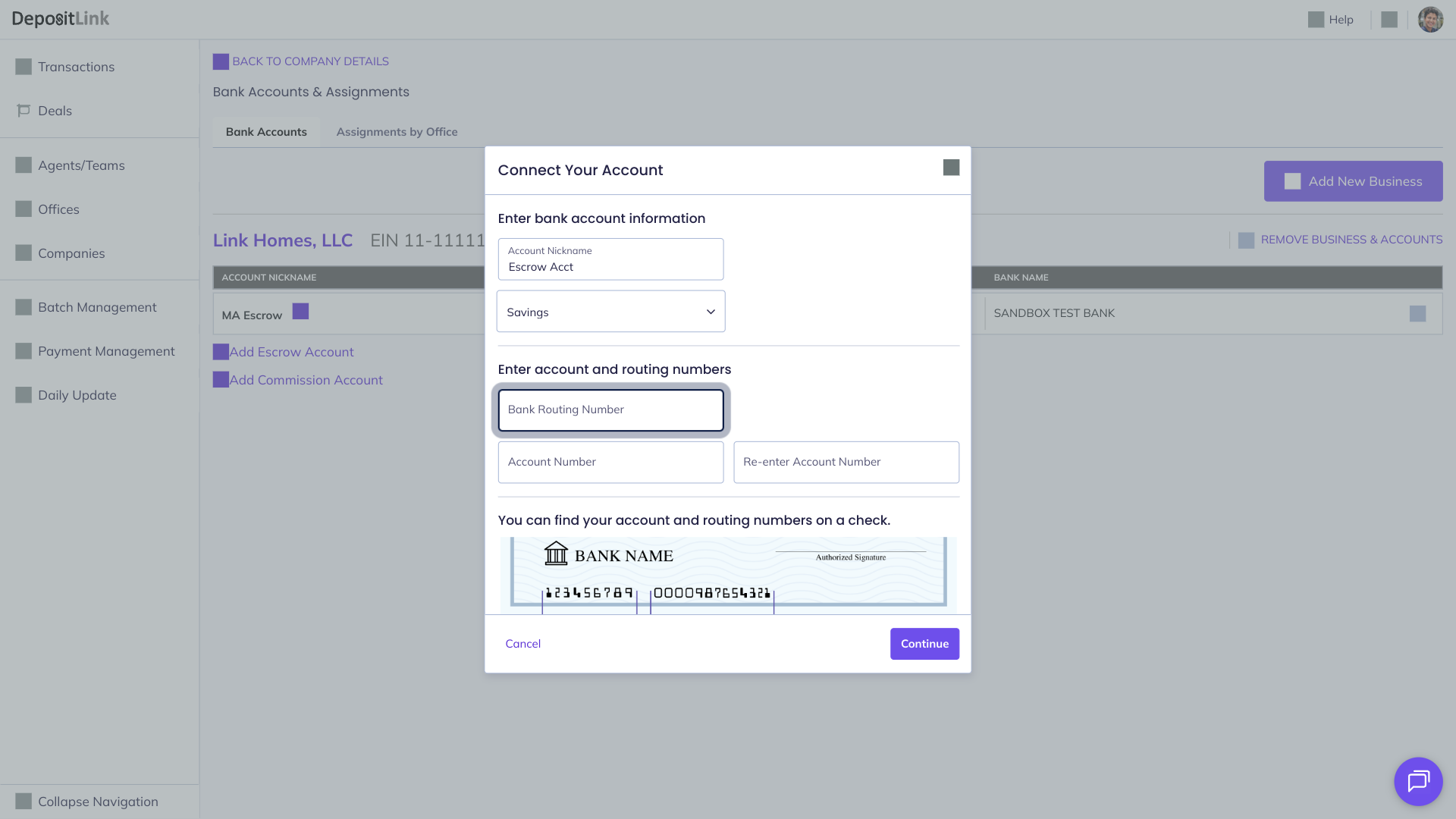
- Step 6: Enter your account number.
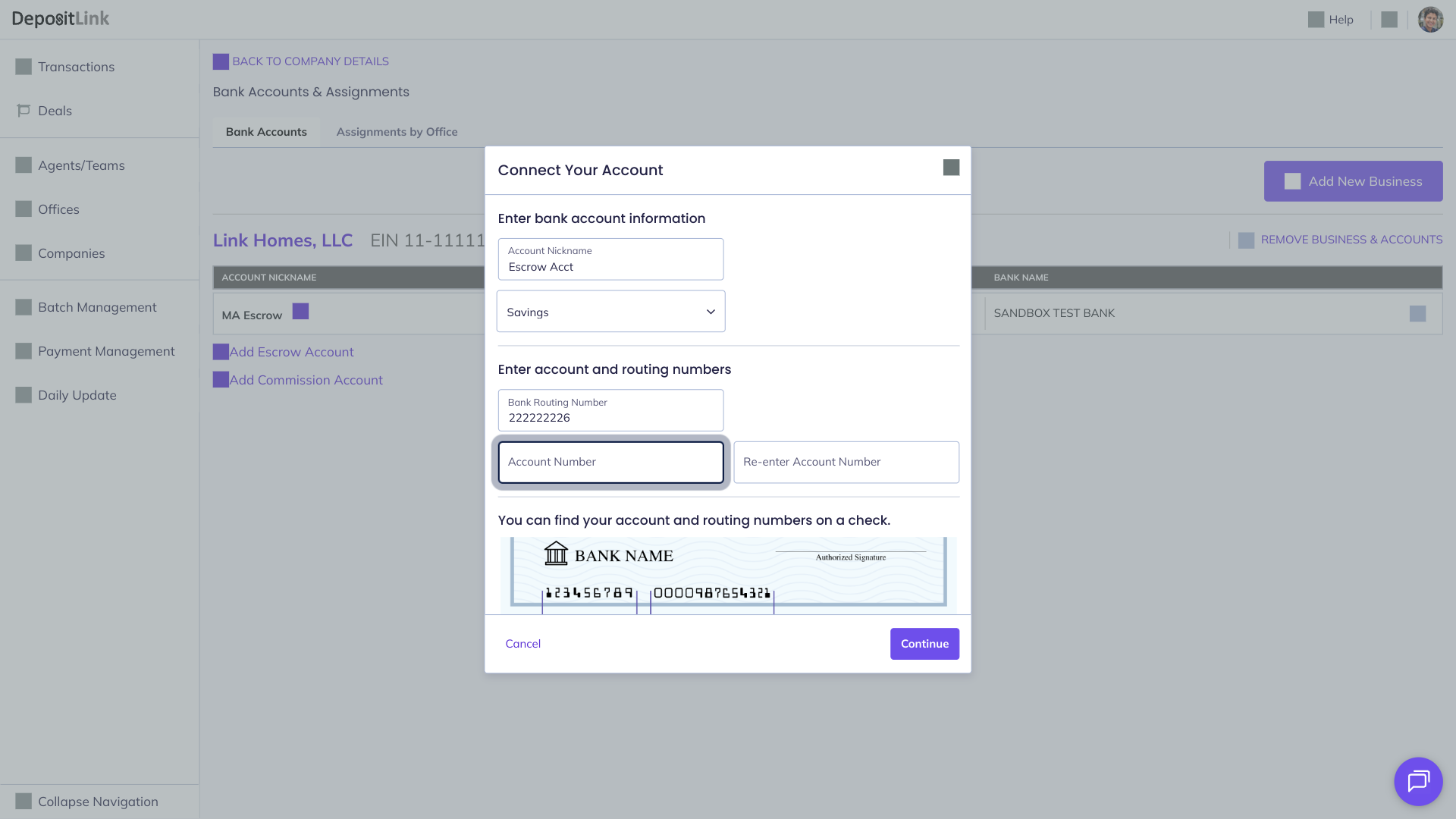
- Step 7: Re-enter the Account Number.
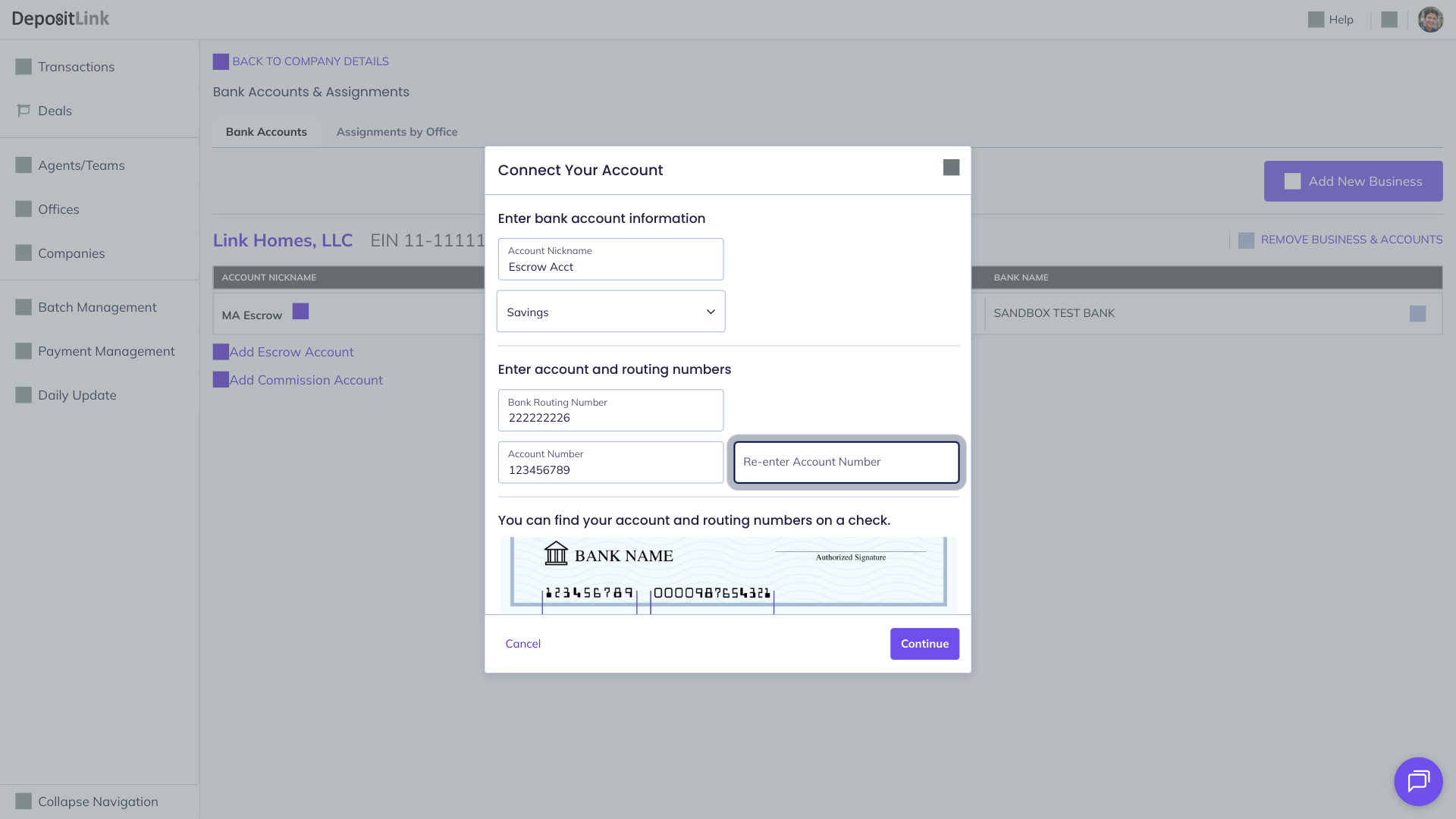
- Step 8: Click Continue.
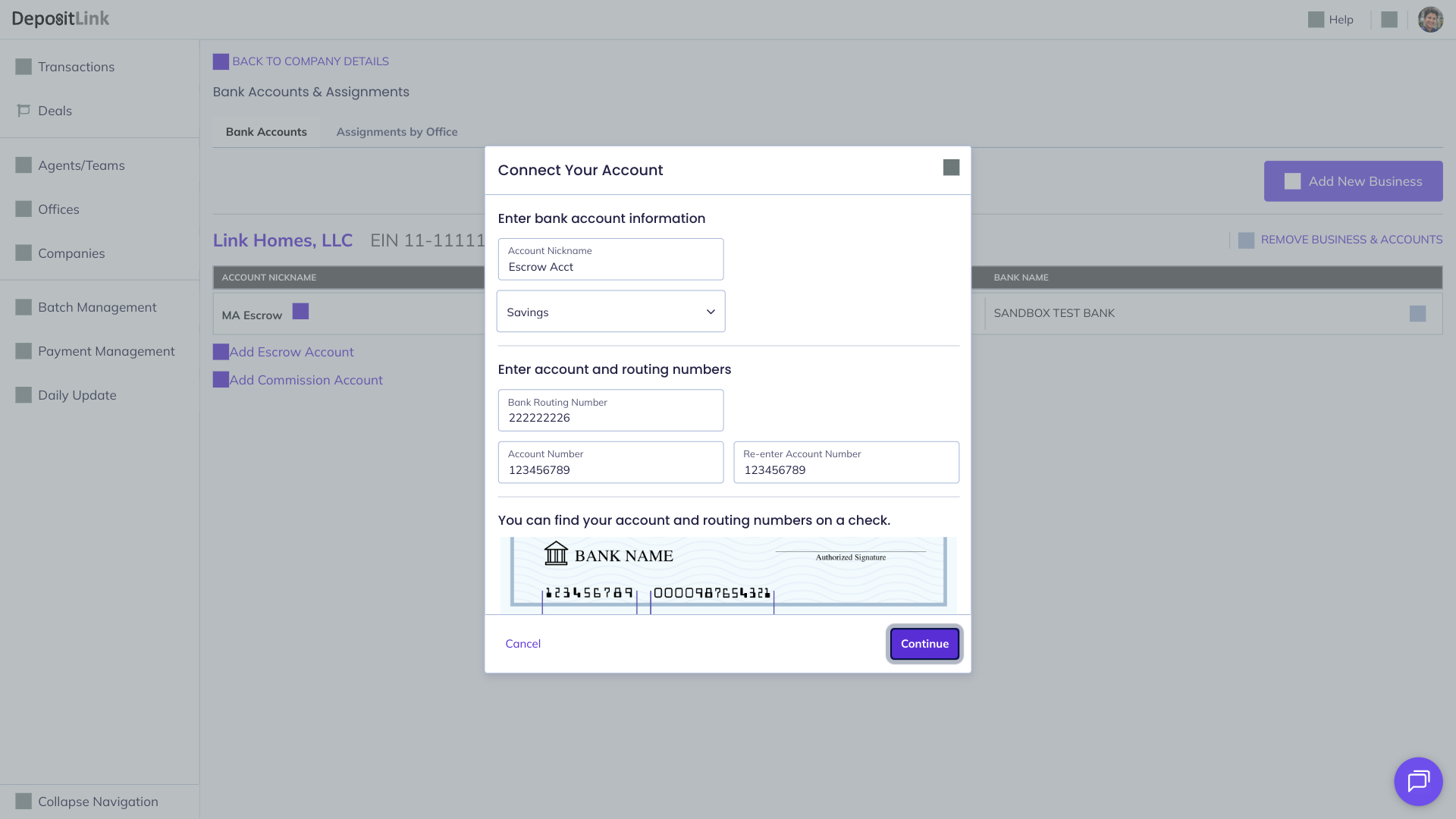
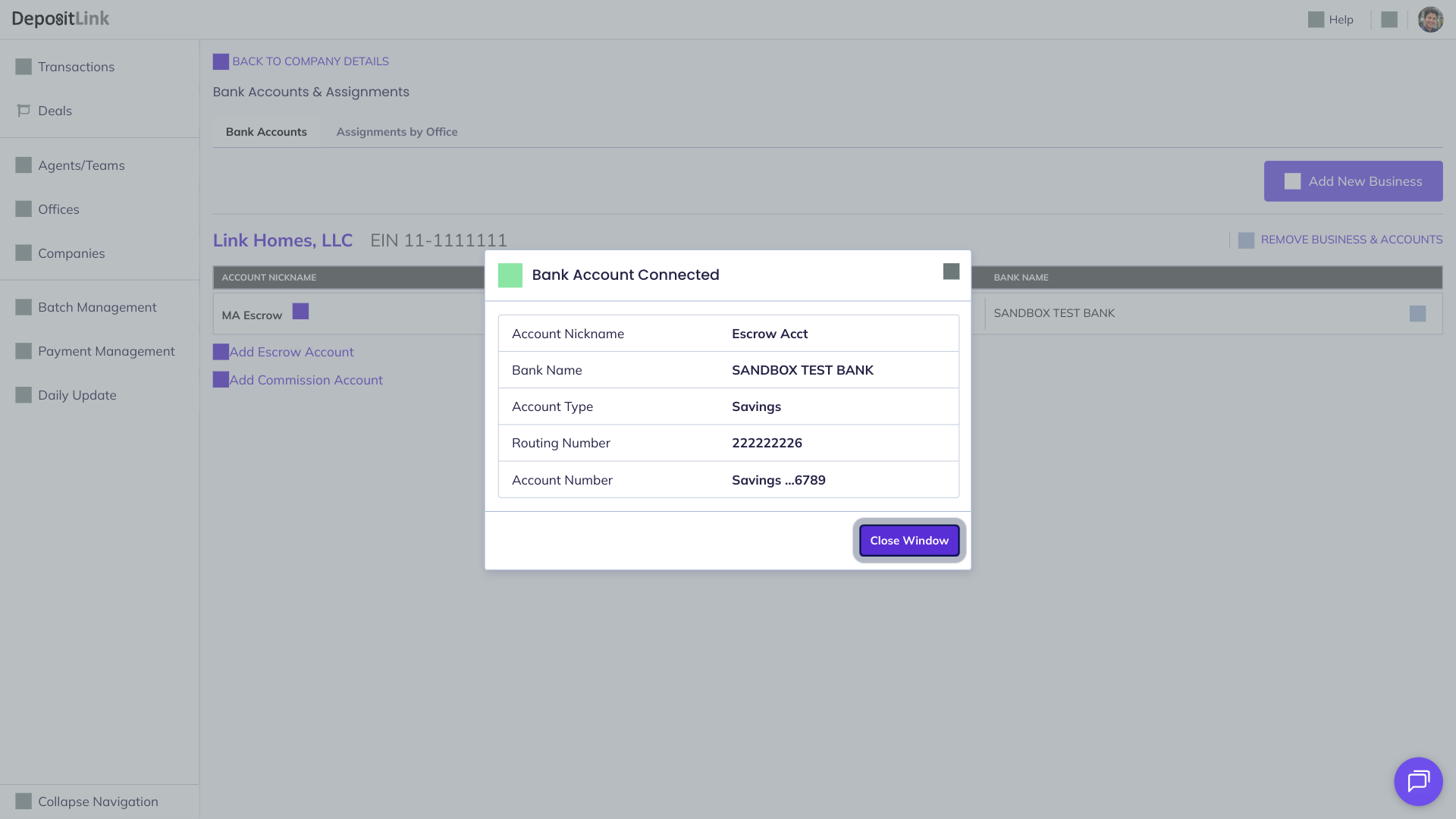
- Step 9: Click Close Window.
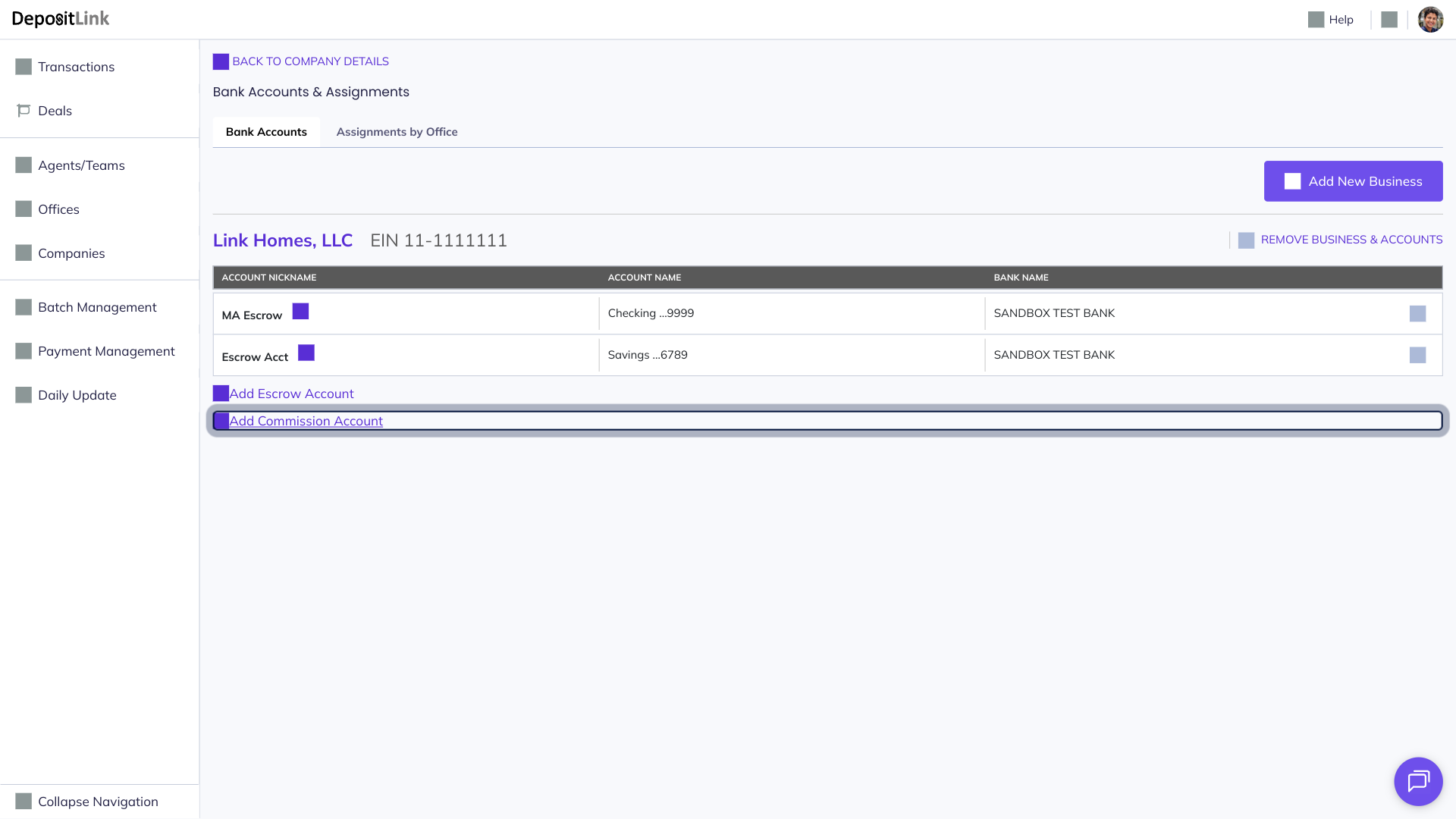
- Step 10: Click Add Commission Account.
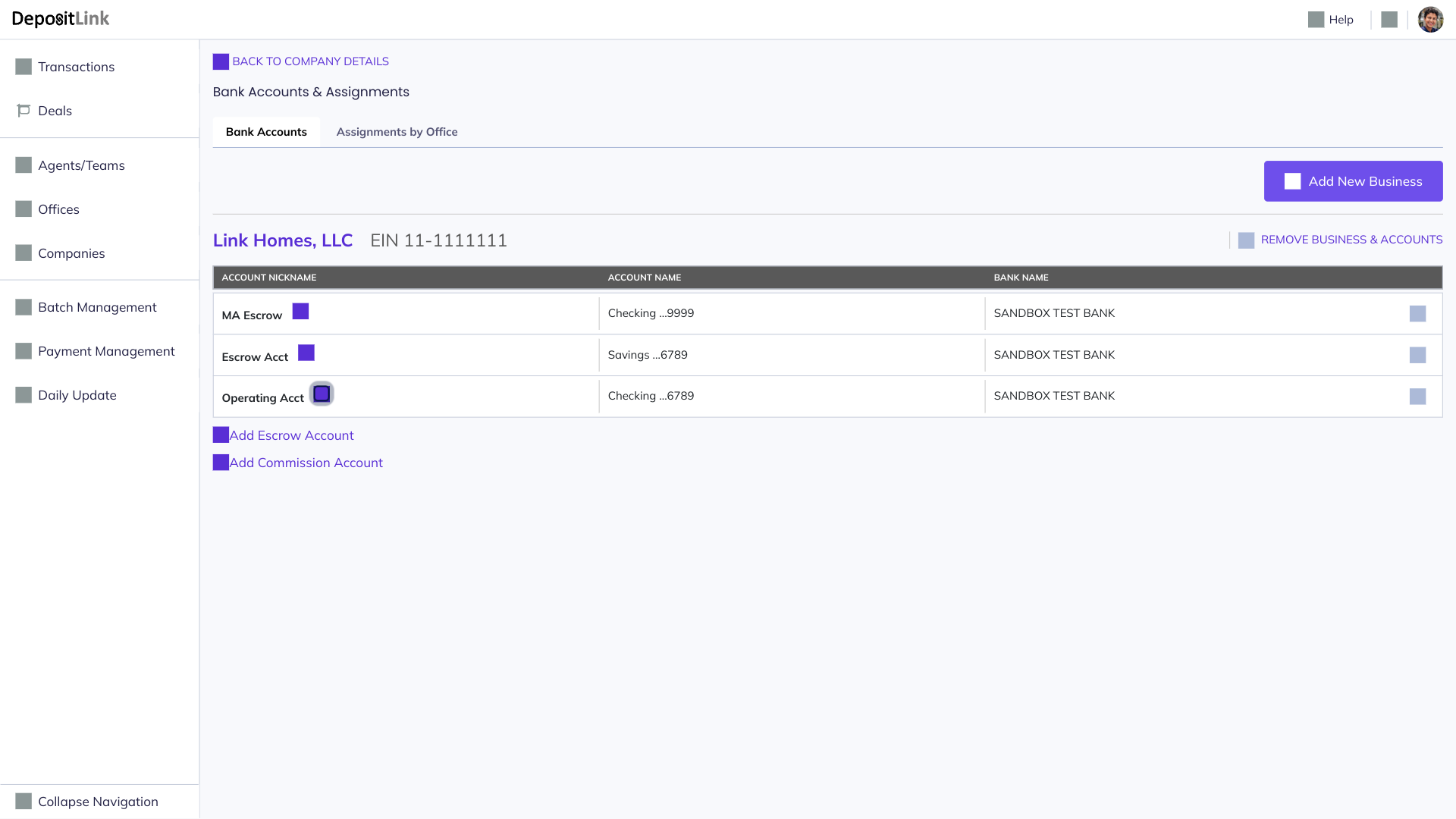
- Step 11: Click the edit icon to modify the account nickname.
- Step 12: Type the new nickname into the field.
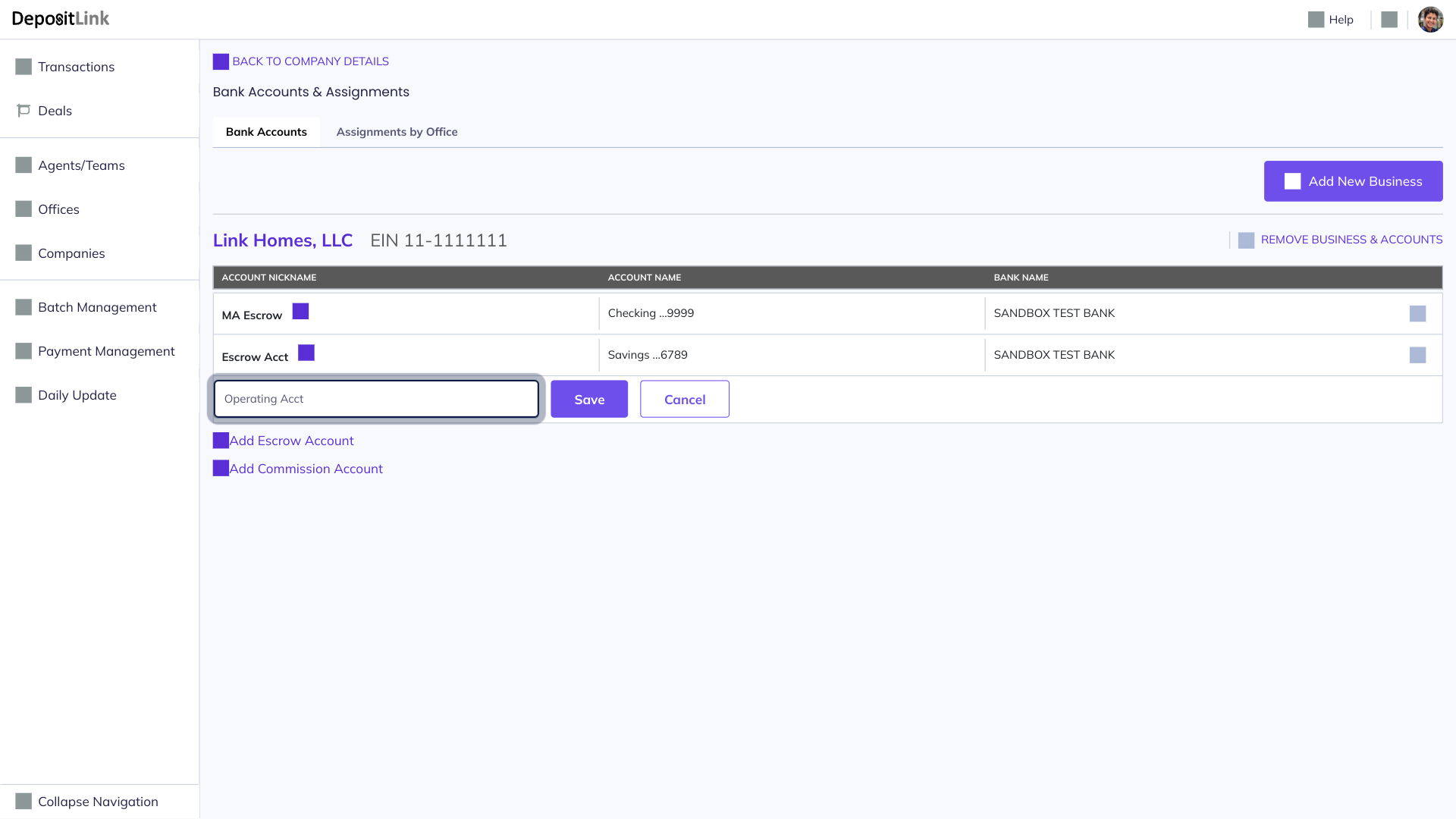
Success, your bank accounts have been connected.
Need to connect more than one bank account? DepositLink lets you securely link up to 15 funding accounts.