.svg)
Connect your SkySlope account to DepositLink to import listings and export transactions between platforms.
In This Article
- Connecting SkySlope
- Agent Setup
- Importing Listings from SkySlope
- Exporting Transactions to SkySlope
- Common Issues
Connecting SkySlope
Before connecting the integration:
- Each agent must have an active SkySlope account.
- Agents will connect their own account using an API Key and Secret generated in SkySlope.
Please contact DepositLink to enable this for your brokerage account. Additional configurations can be enabled by request.
Agent Setup (Connecting SkySlope)
If SkySlope is enabled for the brokerage, an agent can follow these steps:
- Step 1: Click My Account in the upper right.
- Step 2: Select the SkySlope tab.
- Step 3: Click Direct Connection.
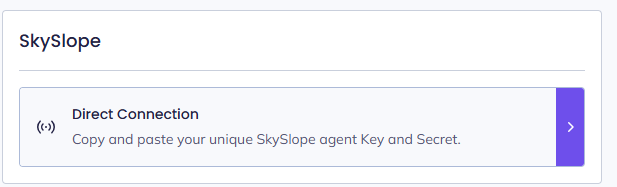
-
Step 4: Click Generate SkySlope Key and Secret.
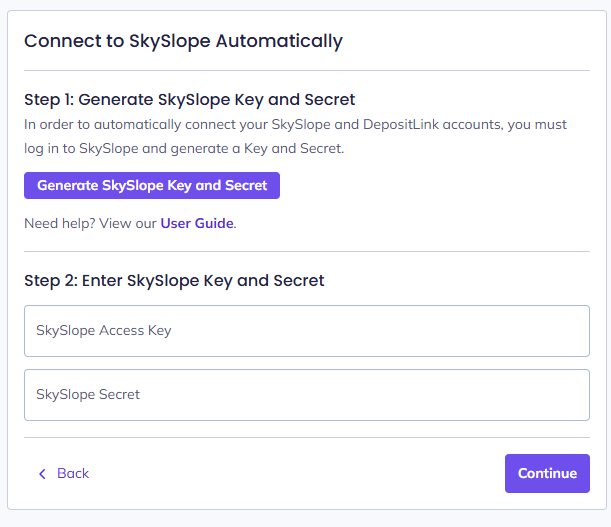
DepositLink will redirect you to SkySlope, where you can generate API credentials.
.png)
- Step 5: Copy the Access Key and the Secret Key.
- Step 6: Paste them into DepositLink.
- Step 7: Click Continue.
Once connected, the agent’s SkySlope account is linked to DepositLink.
Importing Listings from SkySlope
Agents can import listings into DepositLink.
- Step 1: Open Deals.
- Step 2: Select Import Listing.
- Step 3: Choose the listing from SkySlope.
- Step 4: Confirm the import.
The listing will now appear as a deal in DepositLink
Exporting Transactions to SkySlope
When exporting a transaction:
- Step 1: Complete the DepositLink workflow.
- Step 2: Click Export Transaction to SkySlope.
- Step 3: Provide any required fields (depending on company configuration).
- Step 4: Submit.
If required fields are missing, the export will fail, and DepositLink will display an error explaining which information is required.
Common Issues
Listing not appearing during import
Possible causes:
- The page needs to be refreshed.
- The incorrect property type was selected.
- The listing has not been fully created in SkySlope yet.
Export failure
Usually caused by missing required fields configured in the Export Steps settings.